Features Overview
FreeDi offers a unique and seamless experience on QIDI printers, working flawlessly with the official mainline Klipper firmware, without requiring any modifications. The custom LCD firmware adds a comprehensive and user-friendly interface, tailored for both novice and experienced users, to get the most out of their QIDI printers.
Key Features
-
Seamless Integration with Klipper
- This firmware operates directly with the mainline Klipper firmware, ensuring compatibility and ease of use without needing additional modifications or tweaks.
-
Support for All Stock Components
- Enjoy a full-featured Klipper experience on your 3D printer without extra costs. The firmware supports all stock components, including other mainboards and additional parts.
-
Low Latency Display
- The display boasts a low response time, ensuring quick input recognition. Any delays are typically due to necessary operations like heating or blocking macros, ensuring optimal performance.
-
Unified Design with Home Screen
- A streamlined home screen features all essential settings for daily use, providing quick access to commonly used functions.
- Thumbnail Support: Easily view print job thumbnails directly on the display - yes, it works !
-
Intuitive Naming for Components
- All components have clear, understandable names, improving usability:
- Chamber heater is labeled "Chamber" instead of "Hot".
- Fans are named for their function, e.g. "Partfan", "Filterfan", and "Sidefan", instead of generic names like "fan0".
-
Optimized Configs & Macros
- Improved printer configs and tuned macros help increase print quality while reducing print times
- Customizable Home screen Macros: Four user-configurable macros can be placed on the home screen
Security Features
-
Advanced Safety Feature 1
- Emergency Stop: An emergency stop button is present on every screen, allowing for immediate shutdown of the printer in case of emergencies.
-
Advanced Safety Feature 2
- Prevent Cold Extrusion: Extrusion and retraction buttons are disabled if the extruder temperature is below 180°C, preventing accidental damage and clogging.
-
Advanced Safety Feature 3
- Prevent Unhomed Move: Printer movements are restricted until a homing sequence is completed, ensuring safe and precise operation.
-
Advanced Safety Feature 4
- Safe Shutdown & Restart: Properly powers down or restarts the operating system to help prevent file corruption caused by hard power-offs
Mainsail Notifications 1
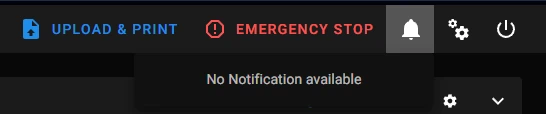
FreeDi sends important updates and information directly to your Mainsail web interface.

Check the notifications to be aware of:
-
Important firmware updates
-
Security notices
-
Warnings
-
New FreeDi features and releases (work in progress)
Where to find them in your browser: